Manual.ly Logo

Camry CR 1179 Uputstvo-Za-Upotrebu

0,0 · 0 Ocene

PDF uputstvo · 92 Stranica

српски

M: QW-35-FL
stranica

/ 92

Loading...
366a0756a45f86cb958496b4131d253fc302 page 4
4
device (RCD) in the power circuit, with residual current rating not more than 30 mA.
Contact professional electrician in this matter.
15. Avoid getting the radio wet.
16. The radio may only be wiped with a dry cloth. Do not use water or cleaning fluids.
17. Special discs for cleaning the CD player should be used regularly.
18. The radio should be kept in a dry room.
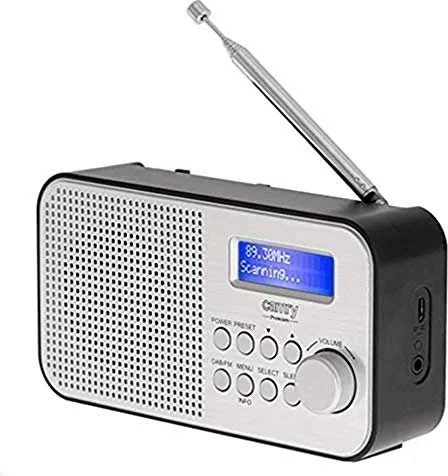
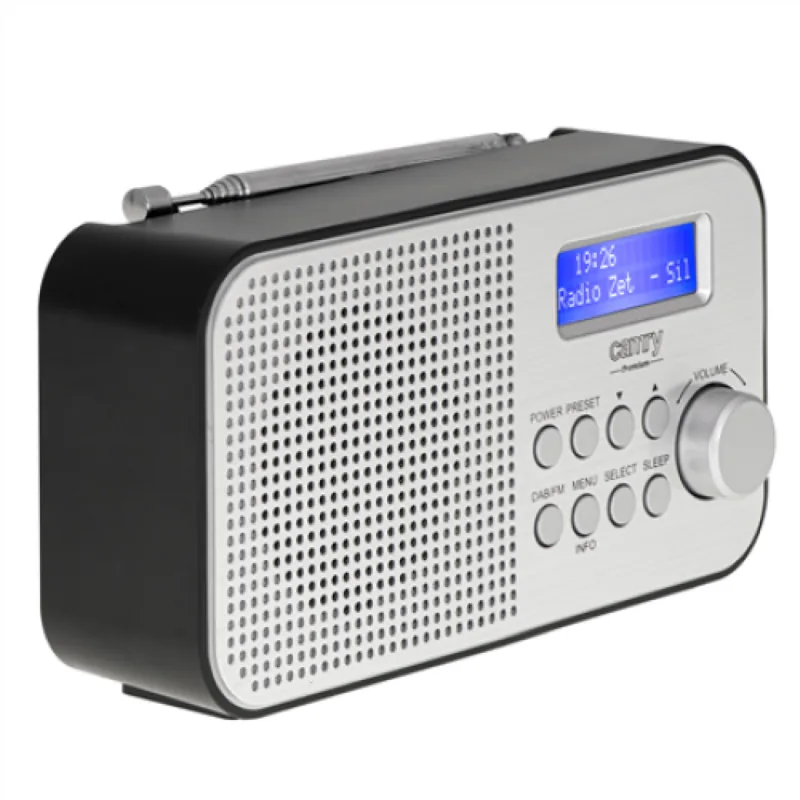
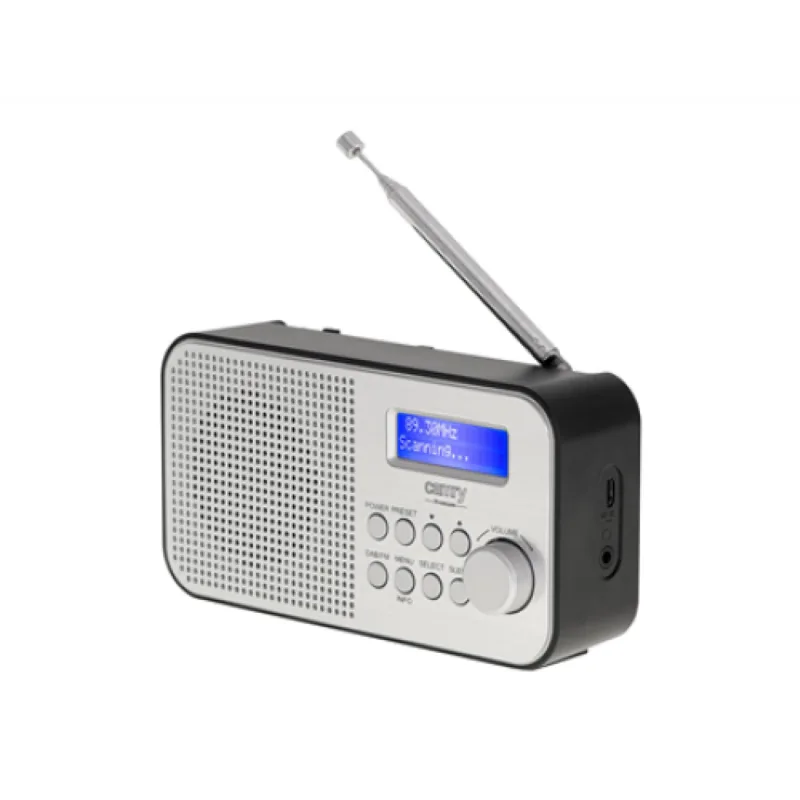
Device Description (Dab Radio):
1. LCD Display 2. Preset button 3. Previous / Scan 4. Next 5. Volume +/- Button 6. Sleep 7. Select / Snooze
8. Menu/Info 9. DAB/FM 10. Power ON/OFF 11. Micro-USB 12. 3.5mm Headphone Jack.
First Setup:
1. Make sure the device is fully charged. To do that connect the device by the Micro USB cable to a suitable power source.
2. Press and hold the Power button (10) for 2 seconds.
3. The first time the DAB Digital Radio
4. When your DAB Digital Radio is using the power adapter, press the POWER (10) button to switch 'on' and 'standby'. Unplug the
power adapter to turn off your Digital Radio completely.
5. When your DAB Digital Radio is using batteries, Press and hold the POWER (10) Button for 2 seconds or switch 'off'.s switch, it will
start up DAB mode. It will automatically scan for the available radio stations.
DAB/FM button
Switching to DAB/FM mode
1. The first time the DAB Digital Radio is switched, it will start up DAB mode.
2. If the device is in DAB mode, press the DAB/FM (9) button repeatedly until FM is shown on the display.
3. Once in FM mode, your DAB Digital Radio will tune to the start of the available FM range (87.50MHz) or the last FM station listed.
4. To manually change the FM frequency, make sure that you have not selected any other sub-menus. Turn the TU+/-( to change the
frequency by 0.05MHz.
Changing the DAB display information
1. If the DAB Digital Radio is in DAB mode, press MENU/INFO (8) button to select different info to show on the display, such as DLS
(Dynamic Label Segment), signal strength, PTY (Program Type), ensemble, frequency, signal quality, bit rate codec, time, date.
2. If the DAB Digital Radio is in FM mode, press the MENU/INFO (8) button to select different info to show on the display, such as radio
text, PTY (Program Type), PS (Program Service), stereo/mono, time, date.
DAB mode – choosing menu options
1. If the DAB Digital Radio is in DAB mode, press and hold MENU/INFO (8) button to enter the menu list to Press the Next/
Previous(3,4) button to select the option through the list of menu. Then, stop at your preferred option and Push the SELECT (7)
button to confirm. The menu options are: full scan, manual tune, DRC, prune, system.
2. Full scan – under menu list, press the Next/ Previous (3,4) button to select “Full scan“ through the list of menu, Push SELECT (7)
button to confirm and full scan starts automatically to Once a scan is completed, the radio returns to play the previously-selected
station or first station on the station list.
Note: if no radio station found, it shows “No DAB Station”. For better reception, extend the antenna or do the full scan again in another
place.
3. Manual tune – as well as the normal method of scanning, you can also manually tune to a particular channel/frequency. This can be
useful for adjusting your antenna to achieve the best possible reception and scanning a particular channel to update the station list.
Under the menu list, press the Next/Previous (3,4) button to select “Manual tune” through the list of menu, Push Select (7) button to
confirm. Then press the Next/ Previous (3,4) button to select a particular channel/frequency and then Push SELECT (7) button to
confirm the setting to The display shows a live indication of the received signal strength on the selected frequency. Adjustments to
your antenna will be manifested in the received signal strength displayed.
5. Prune – this removes all invalid stations indicated in the station list with a '?' in front of the station name. Under menu list, press the
Next/ Previous(3,4) button to select “Prune” through the list of menu, Push SELECT(7) button to confirm to Then press the Next/
Previous(3,4) button to select <Yes>, and Push SELECT(7) button to confirm
6.0. Time – if there are any DAB+ radio signal, the machine will automatically update the time, there is no signal, can also be set
manually.
*Set Time/Date: set hour / set minute / set month / set date>set year > saved
*Auto-update options: update from Any / update from DAB/update from FM
/ no update
*Set 12/24 hour: 12hour/24hour
*Set date format: DD-MM-YYYY/MM-DD-YYYY Cycle through Time menu by Push the SELECT (7) button, select a particular option,
and Push the SELECT (7) button changes.
6.1. Backlight – this radio display has a backlight which can be adjustable. You can select the time out of the display backlight of your
radio. Under the system menu, press the Next/Previous (3,4) button to select “Backlight” through the list of menu, Push the SELECT

Razgovarajte sa svojim Camry CR 1179 uputstvom koristeći AI

Dobijte trenutne AI odgovore iz svog Camry CR 1179 uputstva

Pitajte bilo šta o Camry CR 1179. Odgovori dolaze iz ovog priručnika, uz strane na kojima se zasnivaju.

CR 1179 Raspored odrzavanja

Periodično
Proveriti stanje kabla za napajanje

Pregledajte kabl za napajanje zbog oštećenja. Ako je oštećen, neka ga zameni stručna servisna služba kako bi se izbegle opasne situacije.

Prikazi u uputstvu (stranica 3)
Redovno
Očistiti sočivo CD plejera

Koristite specijalne diskove za čišćenje redovno kako biste očistili mehanizam CD plejera.

Prikazi u uputstvu (stranica 4)
M: qwen/qwen3.8-flash

Pitajte Pitanje

0/1000

Da li preporučujete CR 1179?

Da Ne

Често постављана Питања

A

Ne, ovaj uređaj je dizajniran isključivo za unutrašnju upotrebu. Ne izlažite ga kiši, direktnoj sunčevoj svetlosti ili vlažnim uslovima jer to može oštetiti elektroniku.

Да ли је овај одговор користан?

A

Podesite željenu stanicu, zatim pritisnite i držite dugme Preset dok displej ne potvrdi čuvanje. Možete izabrati jedan od dvadeset slotova za DAB ili FM favorite.

Да ли је овај одговор користан?

A

Da, poseduje dva alarma koja se mogu podesiti da zvonje u specifično vreme koristeći ili zvučni signal ili izvor odabrane radio stanice.

Да ли је овај одговор користан?

A

Nemojte koristiti uređaj. Odmah prestanite da ga koristite i odnesite ga u ovlašćeni servisni centar na popravku kako biste izbegli opasnost od električnog udara.

Да ли је овај одговор користан?

A

Da, pozadinsko osvetljenje je podesivo. Idite u Sistem meni i izaberite Pozadinsko osvetljenje da biste izabrali između Visokog, Srednjeg ili Niskog podešavanja.

Да ли је овај одговор користан?

M: QW-35-FL

Prednosti i Nedostaci

Prednosti

  • Dvojni režim podrške za DAB i FM emitovanje
  • Punjiva 2000 mAh litijum-jonska baterija za prenosivost
  • Lako za korišćenje LCD displej sa prilagodljivim informacijama
  • Čuvanje za 20 DAB i 20 FM predpodešenih stanica
  • Ugrađen dvojni sistem alarma sa funkcijom ponovnog buđenja
VS

Nedostaci

  • Zahteva profesionalni servis za unutrašnje popravke ako je oštećen
  • Ne može se koristiti u vlažnim uslovima poput kupatila
  • Ograničen na specifične zahteve za napon od 230V
  • Nema pomenutog izlaza za spoljni zvučnik za proširenje
  • Ručno podešavanje zahteva pažljivo prilagođavanje za najbolji signal
M: QW-35-FL

Proizvod Specifikacija

Tuner

UKW, DAB, DAB+, 20 Memorija stanica

Display

LCD, Vreme

Audio Connections

Slušalice (3.5mm utikač)

Power Supply

Li-Ion akumulator (2000mAh), USB

Features

Spuštiva antena, Alarmna funkcija

Color

Srebrna, Crna

Dimensions

15x8x5 cm (ŠxDxV)

Weight

210 g

M: QW-35-FL

Proizvod Opis

Otkrijte digitalni radio Camry CR 1179

Camry CR 1179 je svestrani digitalni radio dizajniran da donese kristalno jasnu audio u vašu svakodnevnicu. Bilo da započinjete jutro ili se opuštate uveče, ovaj uređaj nudi besprekusan pristup DAB i FM stanicama. Njegov kompaktni dizajn savršeno staje na bilo koju kuhinjsku radnu ploču ili noćni sto, pružajući visokokvalitetan zvuk bez zauzimanja mnogo prostora.

Opremljen je intuitivnim LCD displejem, korisnici mogu lako da navigiraju kroz različite opcije menija da bi prilagodili svoje iskustvo slušanja. Uređaj poseduje robustno punjivo litijum-jonsko akumulator koji osigurava prenosivost, dok Micro-USB ulaz omogućava brzo punjenje. Bezbednost je prioritet, sa ugrađenim zaštitama protiv oštećenja vodom i pregrevanjem, što ga čini bezbednim za upotrebu oko dece starije od osam godina pod nadzorom.

Jedna od istaknutih karakteristika je mogućnost čuvanja dvadeset omiljenih DAB stanica i dvadeset FM predpodešavanja. To znači da možete brzo prebaciti između svojih omiljenih kanala bez dosadnog pretraživanja. Opcija ručnog podešavanja daje vam preciznu kontrolu nad frekvencijama, osiguravajući da ne propustite nijednu emisiju čak i u oblastima sa slabijim signalom. Dodatno, dvojni sistem alarma vam dozvoljava da se probudite uz svoju omiljenu muziku ili nežan zvučni signal, prilagodljiv po danu ili specifičnom vremenu.

Camry CR 1179 takođe podržava izbor jezika, obraćajući se raznolikom skupu korisnika. Funkcija tajmera za spavanje pomaže vam da se opustite noću automatskim gašenjem radija nakon određenog perioda. Sa usklađenošću sa EU direktivama o bezbednosti i CE oznakom, ovaj radio garantuje pouzdanost i pridržavanje međunarodnih standarda. Uživajte u superiornom iskustvu slušanja sa uređajem koji kombinuje funkcionalnost, bezbednost i jednostavnost upotrebe.

Ključne beleške

  • Podržava obe DAB Band III i FM frekvencije.
  • Uključuje 2000 mAh punjivu bateriju.
  • Ima pozadinsko osvetljenje sa podešavanjem nivoa svetline.
  • Kompatibilan sa standardnim Micro-USB kablovima za punjenje.
M: QW-35-FL

© Copyright 2026 Manual.ly
